LG 34UC79G Service Manual


LG 34UC79G — 7 — LGE Internal Use OnlyCopyright © LG Electronics. Inc. All rights reserved. Only for training and service purposes ADJUSTMENT INSTRUCTION 1. Application Range This document is applied to LM61B chassis Monitor which is manufactured in Monitor Factory or is produced on the basis of this data. 2. Designation 1) The adjustment is according to the order which is designat- ed and which must be followed, according to the plan wh
LG 34UC79G THERMAL THE SYMBOL MARK OF THIS SCHEMETIC DIAGRAM INCORPORATES SPECIAL FEATURES IMPORTANT FOR PROTECTION FROM X-RADIATION. FIRE AND ELECTRICAL SHOCK HAZARDS, WHEN SERVICING IF IS ESSENTIAL THAT ONLY MANUFACTURES SPECIFIED PARTS BE USED FOR THE CRITICAL COMPONENTS IN THE SYMBOL MARK OF THE SCHEMETIC. OSCO X200 12MHz OSCI +3.3V_NORMAL +1.15V_VDD DP_RX0N R219 10 CS SDO +1.15V_VDD EDP2- C282 0.1uF 16V AVDD_HRX0 +
LG 34UC79G — 6 — LGE Internal Use OnlyCopyright © LG Electronics. Inc. All rights reserved. Only for training and service purposes No. Factory support mode Horizontal frequency Horizontal frequency (Preset Mode) (KHz) (Hz) 1 640x480P 31.47 60 2 720x480P 31.47 60 3 1280x720P 45 60 4 1920x1080P 67.5 60 5 1280x720P 37.5 50 6 1920x1080P 56.25 50 7 2560x1080P 56.25 60 8 2560x1080P 66 50 9 720x576P 31.25 50 10 1920x1080I 33.75 60 11 1920x1080I 28.125
LG 34UC79G — 2 — LGE Internal Use OnlyCopyright © LG Electronics. Inc. All rights reserved. Only for training and service purposes CONTENTS . 2 SAFETY PRECAUTIONS . 3 SPECIFICATION . 4 ADJUSTMENT INSTRUCTION
LG 34UC79G THERMAL THE SYMBOL MARK OF THIS SCHEMETIC DIAGRAM INCORPORATES SPECIAL FEATURES IMPORTANT FOR PROTECTION FROM X-RADIATION. FIRE AND ELECTRICAL SHOCK HAZARDS, WHEN SERVICING IF IS ESSENTIAL THAT ONLY MANUFACTURES SPECIFIED PARTS BE USED FOR THE CRITICAL COMPONENTS IN THE SYMBOL MARK OF THE SCHEMETIC. C100 0.1uF 16V R103 0 R102 0 HDMI2_5V R104 0 OPT HDMI2_SDA HDMI2_DET HDMI2_HPD HDMI2_SCL C102 0.1uF 16V DP_HPD R
— 11 — LGE Internal Use OnlyCopyright © LG Electronics. Inc. All rights reserved. Only for training and service purposes BLOCK DIAGRAM e- DP MST9U11Q1 (Mstar) E-DP DC Jack HDMI Input X-TAL 12MHz HDMI SWITCH TMDS TMDS TMDS TP A6138 (HP AMP) HP +19V DNW116 I2S SP(L) SP(R) 3.3V 1.8V 1.15V HP DP Input TMDS USB Type A USB HUB USB Type A USB3.0 USB UP USB3.0 Line-out A
LG 34UC79G — 5 — LGE Internal Use OnlyCopyright © LG Electronics. Inc. All rights reserved. Only for training and service purposes 2. Signal Timing (Resolution) 2.1. Signal (Video & Sync) 2.2. H/V Timing No. Section Pol. Dot Clock [MHz] Frequen- cy [kHz]/[Hz] Total Cycle (E) Dis- play (A) Front Porch(B) Sync. (D) Back Porch(F) Resolution 1 H(Pixels) — 25.175 31.469 800 640 16 96 48 640 x 480 V(Lines) — 59.94 525 480 10 2 33 2 H(Pixels) + 40 3
LG 34UC79G — 4 — LGE Internal Use OnlyCopyright © LG Electronics. Inc. All rights reserved. Only for training and service purposes SPECIFICATION NOTE : Specications and others are subject to change without notice for improvement. 1. General Specication Item Content Remark 1 Customer BRAND 2 User Model Name 34UC79G 3 Sale region World Wide 4 Feature 34” Wide Curved LCD MONITOR(WFHD) 5 Chassis Name LM61B 6 General Scope External SW &Adj. 5-way joys
LG 34UC79G — 13 — LGE Internal Use OnlyCopyright © LG Electronics. Inc. All rights reserved. Only for training and service purposes DISASSEMBLY 1. Preparation 1.1. Preparation tool (jig) 1.2. Preparation tool (Curved PAD) 2. Stand Assembly Separation 1) Lay the set by the Curved PAD in Box 2) Disassemble the Stand after pull the button to down 3) Disassemble the Thumb Screw (2ea) 4) Remove the Screw (4ea). 5) Di
LG 34UC79G — 8 — LGE Internal Use OnlyCopyright © LG Electronics. Inc. All rights reserved. Only for training and service purposes Insert HDMI Jack which is connected with PC for White Bal- ance or equivalent device. → Total Assembly line should check whether the color coordinate(x,y) data refer to below table were meet or not. *Note : x,y coordinates are drifted about 0.007 after 30 mins heat-run. So checking color coordinate within 5-min at total
LG 34UC79G — 14 — LGE Internal Use OnlyCopyright © LG Electronics. Inc. All rights reserved. Only for training and service purposes 6) Disconnect LED Cable , Control Assemble (Latch Type) ,E-Dp Cable 7) Remove the screw. (17EA)
LG 34UC79G Service Manual

Compatible devices: 32QK500, T1710BP-BN, L245WHS, T910B, W2600H, E2391VR, L225WT-SF, 27UL55B.
- IPS224T Owner’s manual (UPD: 14 Apr 2023, lg/ips224t.pdf) (view)
- W2284F-PF Guía del usuario (UPD: 07 Aug 2023, lg/w2284f-pf.pdf) (view)
- 23MB35PY Owner’s manual (UPD: 04 Oct 2023, lg/23mb35py.pdf) (view)
- L2000CE-SF Operation & user’s manual (UPD: 14 Jan 2023, lg/l2000ce-sf.pdf) (view)
- M197WDP Owner’s manual (UPD: 10 Feb 2023, lg/m197wdp.pdf) (view)
Service Manual (Text Version):
21, LG 34UC79G Manual: THERMAL THERMAL THE SYMBOL MARK OF THIS SCHEMETIC DIAGRAM INCORPORATES SPECIAL FEATURES IMPORTANT FOR PROTECTION FROM X-RADIATION. FIRE AND ELECTRICAL SHOCK HAZARDS, WHEN SERVICING IF IS ESSENTIAL THAT ONLY MANUFACTURES SPECIFIED PARTS BE USED FOR THE CRITICAL COMPONENTS IN THE SYMBOL MARK OF THE SCHEMETIC. C9030.1uF USB_SSTXP_DN2 USBDN_DP1 USB_SSRXP_DN2 US…
12, — 12 — LGE Internal Use OnlyCopyright © LG Electronics. Inc. All rights reserved. Only for training and service purposes EXPLODED VIEW 900 910 911 301 830 300 200 540 510 400 720 LV1 700 Many electrical and mechanical parts in this chassis have special safety-related characteristics. These parts are identified by in the Schematic Diagram and EXPLODED VIEW. It is…
9, LG 34UC79G Manual: — 9 — LGE Internal Use OnlyCopyright © LG Electronics. Inc. All rights reserved. Only for training and service purposes 5.5. EEPROM Data Write 5.5.1 Siganl TABLE LEN : 84h+Bytes CMD : E8h ADH : E2PROM Slave Address(A0,A2,A4,A6,A8,AA,AC,AE), Not 00h(Reserved by Buffer To EEPROM) ADL : E2PROM Sub Address(00
FF) Data : Write data Delay : 20ms 5.5.2. Command Set *…
8, LG 34UC79G Manual: — 8 — LGE Internal Use OnlyCopyright © LG Electronics. Inc. All rights reserved. Only for training and service purposes Insert HDMI Jack which is connected with PC for White Bal- ance or equivalent device. → Total Assembly line should check whether the color coordinate(x,y) data refer to below table were meet or not. *Note : x,y coordinates are drifted about 0.007 after 30 mins h…
19, LG 34UC79G Manual: THERMAL THE SYMBOL MARK OF THIS SCHEMETIC DIAGRAM INCORPORATES SPECIAL FEATURES IMPORTANT FOR PROTECTION FROM X-RADIATION. FIRE AND ELECTRICAL SHOCK HAZARDS, WHEN SERVICING IF IS ESSENTIAL THAT ONLY MANUFACTURES SPECIFIED PARTS BE USED FOR THE CRITICAL COMPONENTS IN THE SYMBOL MARK OF THE SCHEMETIC. AMP_SDA JP504 JP500 C518 390pF 50V AMP R516 4.7K AMP C512 0.1uF 50V AMP C515 0.1uF 16V O…
Manual LG 34UC79G-B LED Monitor
Need a manual for your LG 34UC79G-B LED Monitor? Below you can view and download the PDF manual for free. There are also frequently asked questions, a product rating and feedback from users to enable you to optimally use your product. If this is not the manual you want, please contact us.
Is your product defective and the manual offers no solution? Go to a Repair Café for free repair services.
Manual
Rating
More about this manual
We understand that it’s nice to have a paper manual for your LG 34UC79G-B LED Monitor. You can always download the manual from our website and print it yourself. If you would like to have an original manual, we recommend you contact LG. They might be able to provide an original manual. Are you looking for the manual of your LG 34UC79G-B LED Monitor in a different language? Choose your preferred language on our homepage and search for the model number to see if we have it available.
Specifications
| Brand | LG |
| Model | 34UC79G-B |
| Category | LED Monitors |
| File type | |
| File size | 6.53 MB |
All manuals for LG LED Monitors
More manuals of LED Monitors
Frequently Asked Questions about LG 34UC79G-B LED Monitor
Our support team searches for useful product information and answers to frequently asked questions. If you find an inaccuracy in our frequently asked questions, please let us know by using our contact form.
Can I repair a dead pixel myself? Verified There is a difference between a dead pixel and a stuck pixel. A stuck pixel is still coloured and might be fixed by applying light pressure exactly onto the pixel until it restores itself. A dead pixel is always black or white and can’t be repaired by yourself.
This was helpful ( 29 ) Read more
What does HDMI stand for? Verified HDMI stands for High-Definition Multimedia Interface. HDMI is a connection to send high quality video and audio from one device to another.
This was helpful ( 23 ) Read more
What is the contrast ratio? Verified The contrast ratio tells how far the whitest white is from the blackest black. A contrast ratio of for example 400:1 means that the blackest black on screen is 400 times darker than the whitest white. A high contrast ratio contributes to the sharpness of the image.
This was helpful ( 16 ) Read more
What is the difference between LCD and LED? Verified Both techniques use an LCD screen that emits no light by itself. The difference is in the lighting behind the screen. With LCD screens this is done by CCFL (cold-cathode fluorescent lamp) and LED makes use of LED lights.
This was helpful ( 11 ) Read more
How do I measure the inches of my LED monitor? Verified Measuring the inches on your LED monitor is done by measuring the diagonal distance between for example the upper left corner and the lower right corner of the screen (not the edge). One inch equals 2,54 centimeter, so when you measure 99 centimeter, this means your LED Monitor is 39 inches.
This was helpful ( 11 ) Read more
How can I properly clean my LED monitor? Verified Turn off the television and wipe dust and dirt off the screen with a microfiber cloth. Do not use paper, this can cause scratches. Do not apply too much pressure or you might cause damage to pixels. Use a specialized detergent or make one by mixing 1 part vinegar with 1 part water. Moisten the cloth with the detergent and clean the screen. Make sure the cloth is not too wet. Remove stains by making rotating movements. Dry the screen with a second microfiber cloth to prevent stripes.
This was helpful ( 10 ) Read more
Join the conversation about this product
Here you can share what you think about the LG 34UC79G-B LED Monitor. If you have a question, first carefully read the manual. Requesting a manual can be done by using our contact form.
LG 34UC79G 34-inch Ultra-Wide FreeSync Monitor Review
Our expert reviewers spend hours testing and comparing products and services so you can choose the best for you. Find out more about how we test.
OSD Setup & Calibration
- Page 1: Introduction
- Page 2: OSD Setup & Calibration
- Page 3: Brightness & Contrast
- Page 4: Grayscale, Gamma & Color
- Page 5: Viewing Angles, Uniformity, Response & Lag
- Page 6: Conclusion
OSD Setup & Calibration
Accessing the OSD begins with a press of the tiny joystick. That will bring up a quick menu where you can power the monitor off, change inputs, or access the game-specific options. A right click brings up the full menu.
The OSD occupies the entire right side of the screen, but it avoids the center zone which is handy for those calibrating their monitors. Options are divided into four sub-menus: Quick Settings, Input, Picture, and General.
The Quick Settings menu offers only brightness, contrast, and volume sliders. The luminance controls are repeated in the Picture menu.
Input has the expected selector along with aspect ratio controls. If you’re watching a movie in the 2.35 or 2.40:1 ratio, choose Cinema 1 mode to remove the black bars from top and bottom. Otherwise, leave it in the Full mode for gaming or general computing.
The Picture menu starts off with nine picture presets. Custom is the default and does not require calibration. Its grayscale and gamma are spot-on, and color accuracy, while not quite at the pro level, is more than adequate for gaming and entertainment. If you want to tweak, there are three gamma presets plus a user color temp with RGB sliders and a six-axis color management system. Enhancements include dynamic contrast, black level, sharpness, and super resolution. The latter two will add ringing to high contrast transitions, so use them sparingly.
Game Adjust is where you’ll find FreeSync and motion-blur reduction options. In custom mode FreeSync is off by default, so you’ll need to turn it on before AMD Catalyst will recognize the presence of a compatible monitor. If you’d rather have blur reduction, the feature works up to 144Hz which is a first for us. ULMB maxes out at 120Hz and most other FreeSync screens don’t even offer it. It also reduces output and contrast, though in the 34UC79G’s case, its impact is far less than that of the competition. We’ll detail those test results on the next page. Also here is the overdrive control, called Response Time. The Medium setting provides the best compensation without ghosting.
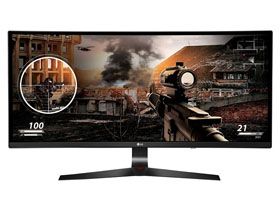
LG also provides an on-screen aiming aid similar to Asus’ GamePlus feature. There are four reticles available. They look somewhat pixelated. We’d rather see something more visually precise.
The final menu, General, has language options, HDMI & DisplayPort compatibility, and a full reset function. There’s also Smart Energy Saving, which is turned on Low by default. You’ll want to shut this off for maximum control of light output. Otherwise, brightness will be limited and contrast is reduced.
Calibration
After our initial measurements, we weren’t sure if a calibration would make any improvement. Grayscale tracking has an average error level under 1dE by default, and gamma rides the 2.2 line almost perfectly. Our only observation was a slight hue error in the magenta secondary, so we turned to the CMS to fix it. That was successful, and the end result was pro-level results in almost all our color tests. Only slight issues with green and blue held the 34UC79G back from perfection. To replicate our adjustments, give our settings a try. Unlisted controls should be left at their default values.